Netvibes screenshot
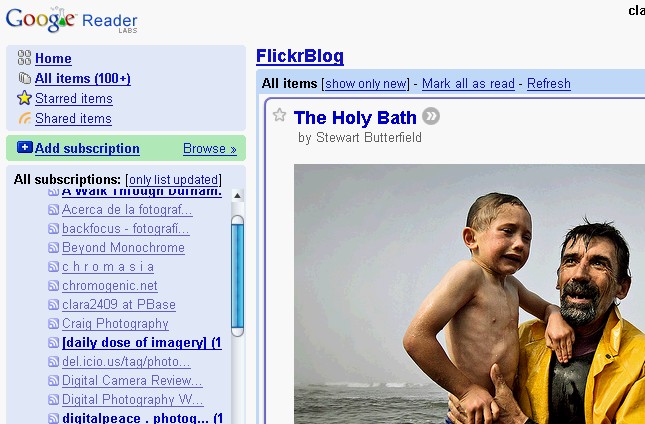 Google Reader screenshot
 Wizz RSS screenshot
After the death of Bloxor, I am testing other feed readers. Luckily, Google comes in time with its new version of Google Reader. The good of this one is that you can access your news and blogs feeds from everywhere in the planet, as long as you have [a broadband] Internet connection. Also, subscribing to feeds on the fly, while you browse the world wide web, is extremely easy: Google provides a bookmarklet that does the job for you with no typing long URLs. Alternatively you can take the type-the-xml URL route on Google Reader to get a subscription. Google Reader understands more syndication formats than any other feed aggregator/reader out there. The bad thing about Google Reader is that if the blog you are watching does not provide the full entries to online readers, you are stuck with the header and a few lines and need to jump to the source site to read the rest of the article or even to see the full sized images. But for blogs that provide full text entries, Google Reader is the best option.
To remedy the full vs part entry issue, I also am using Wizz RSS, an aggregator/reader that you need to install as a Firefox {free} extension. The good thing of this one is that your feeds open the real deal, the original article/entry you are wanting to read, and they open inside the very browser tab you are using at the moment. Also, another good point is that you can import to Wizz RSS your whole Google Reader list of feeds, exactly as they are sorted in folders (labels). If you happen to change your subscriptions on Google Reader, it's easy to delete your subscriptions on Wizz RSS and import the new list again. If you want Wizz RSS to follow you, from computer to computer, then you need to install it in each machine and repeat the import trick from Google Reader (this is what I do), or open a free account in the Wizz RSS server (I have not tried this).
Next aggregator/reader that I use is Netvibes. It is also limited to headers and few lines if the source site does not allow full entries, but is super fast in comparison with Google Reader. I don't use Netvibes for a massive reading of tons of blogs, but for the essential daily reading. I leave Google Reader for more lengthy reading sessions, when I want to explore the whole list of my subscriptions and what's new there. And if I find myself limited by Google partial entries, I go to Wizz RSS and enjoy the full entry ride: I use it most of all for photo-blogs, since I prefer to see full sized images than the little thumbnails offered, if at all, by the online readers.
So, here you have it, my take on feed readers is a bit of Netvibes, a lot of Google Reader and some quality touch of Wizz RSS.